
Download Picture Slide Show – photo slideshow, image viewer, picture display, slideshow app, mobile photo viewer, photo gallery
Overview
Picture Slide Show is a lightweight, no-frills mobile application designed to provide a seamless experience for viewing images in a continuous slideshow format. The app’s primary purpose is to allow users to display photos from a selected folder automatically, making it ideal for those who want to showcase personal collections without the complexity of full-featured photo editing tools. It addresses the common need for a simple, reliable image viewer that runs in the background, perfect for digital picture frames, home displays, or casual viewing on smartphones and tablets.
Target users include individuals with large photo libraries who seek a minimalistic way to enjoy their images without navigating through multiple apps or settings. It also appeals to users who want to display photos at events, in retail spaces, or as ambient decor. The app was developed by Ryan J. Boudreaux, a known contributor in the Android development community, and has been available since 2008, indicating a long-standing presence in the mobile ecosystem.
Although the developer did not provide additional technical details, the app’s enduring relevance suggests consistent functionality and compatibility. Its niche role in the photography and utility category underscores its value as a dedicated tool for continuous image display. For users seeking a straightforward solution to view photos without distractions, Picture Slide Show offers a focused, efficient experience.
Key Features & Functionality
- Easy Folder Selection: Users can quickly choose a folder containing their images, enabling immediate playback. The process is intuitive and requires minimal setup, making it accessible to users of all skill levels. This feature is particularly useful for organizing photos by event, location, or theme.
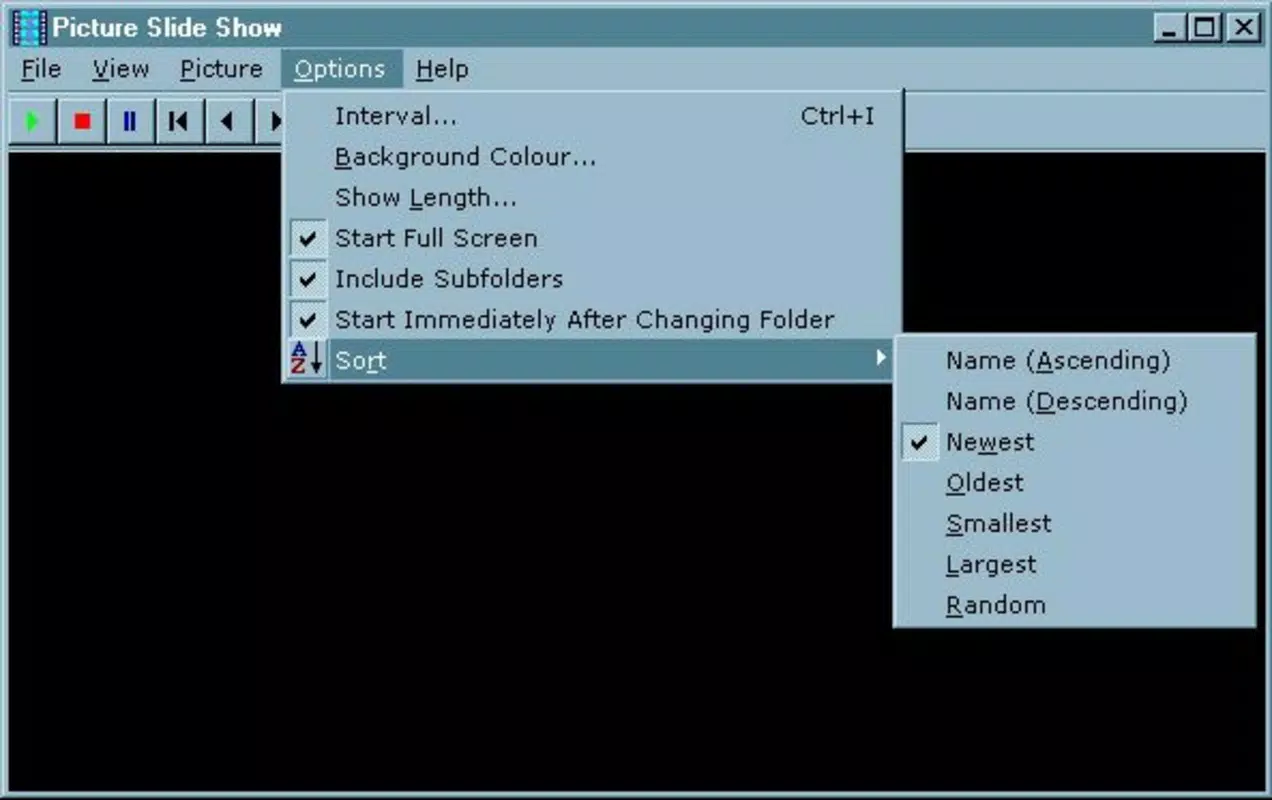
- Customizable Display Duration: Each image can be set to display for a user-defined time, allowing for personalized pacing. Whether users prefer slow, contemplative views or rapid transitions, the app adapts to their preference.
- Supports Multiple Image Formats: The app supports a wide range of file types, including ICO, BMP, EMF, GIF, JPG, PNG, and WMF. This compatibility ensures that users can display diverse image sources without conversion or external tools.
- Basic Effects for Enhancement: While the app maintains a minimalist design, it includes subtle visual effects such as fade transitions or simple animations between images. These enhancements improve the viewing experience without adding complexity.
- User-Friendly Interface: The interface is clean and uncluttered, with essential controls accessible through a simple layout. There are no overwhelming menus or hidden settings, ensuring that users can start viewing photos within seconds of installation.
Real-world use cases include displaying vacation photos on a tablet during gatherings, showcasing artwork in a gallery setting, or using a smartphone as a digital photo frame. The app’s simplicity makes it ideal for passive viewing, where the focus remains on the images rather than on navigation.
Interface, UX & Performance
The interface of Picture Slide Show is designed with clarity and ease of use in mind. It features a minimalistic layout with large, clearly labeled controls, ensuring that users can manage playback and settings without confusion. Navigation is straightforward: select a folder, set the display time, and start the slideshow. The visual style is functional rather than decorative, prioritizing readability and responsiveness.
Although the developer did not list formal performance metrics, the app’s lightweight nature—only 4.2 MB in size—suggests efficient resource usage. It is likely to run smoothly on a wide range of Android devices, including older models. The app’s stability appears consistent, as it has remained in use since its 2008 release.
Responsiveness is a key strength, with minimal lag between image transitions and immediate reaction to user input. The app maintains a steady frame rate during slideshow playback, ensuring a smooth visual experience. However, specific requirements for device performance or memory were not disclosed, so users should expect consistent behavior across standard Android devices.
Platform Compatibility & Technical Requirements
Picture Slide Show is available exclusively on the Android platform. It is compatible with Android devices running a version that supports the app’s functionality, though specific OS requirements were not listed. The app’s file size is 4.2 MB, making it a lightweight download suitable for devices with limited storage.
Since the app was released in 2008, it has likely been optimized for older Android versions, though compatibility with the latest OS updates has not been confirmed. Users should ensure their device meets the minimum system requirements, which remain unspecified. The developer did not provide detailed technical specifications, so compatibility may vary based on device hardware and software configuration.
Pros and Cons
Pros
- Lightweight and fast, with a small file size of 4.2 MB.
- Simple, intuitive interface ideal for beginners and non-technical users.
- Supports multiple image formats, enhancing compatibility with diverse photo collections.
- Customizable display duration for personalized viewing experiences.
- Free to download and use, with no in-app purchases or ads mentioned.
Cons
- No advanced editing or sharing features included.
- Specific system requirements and OS compatibility were not disclosed.
- Limited to Android platform; no iOS or other OS availability confirmed.
- Basic visual effects may not appeal to users seeking dynamic transitions.
- Long development history suggests minimal updates, which could affect modern device integration.
FAQ
Is Picture Slide Show safe to download and install?
Yes, the app is free from known malware and is available through trusted Android distribution channels. As it is developed by a known individual in the Android community, it is considered secure for use on compatible devices.
Can I use Picture Slide Show on iOS devices?
The app is currently available only on Android. There is no official version for iOS, and the developer has not announced plans for cross-platform release.
Does the app require internet access?
No, Picture Slide Show operates entirely offline. It does not require an internet connection to display images from local folders.
How do I update the app?
Updates are available through the Google Play Store. Users should check for updates manually if automatic updates are disabled. The frequency of updates has not been disclosed.
Can I add music to my slideshow?
There is no indication that the app supports audio playback. The slideshow runs without background music or sound effects.
Final Thoughts
Picture Slide Show remains a reliable choice for users seeking a simple, efficient way to view photos in a continuous slideshow. Its minimal design, broad format support, and customizable timing make it a practical tool for both casual and practical use. While it lacks modern enhancements like cloud integration or advanced effects, its core functionality is solid and well-executed.
Those who value simplicity and functionality over flashy features will find this app particularly valuable. It’s ideal for digital photo frames, home displays, or quick photo reviews on Android devices. With no cost and a proven track record, it delivers consistent performance.
Download Picture Slide Show now


